Getting Raster Data out of Vector Drawings

Today I struggled to get raster data out of CorelDraw and into the laser software, Retina Engrave 3D. It’s supposed to work, but I was consistently getting a blank screen on the Raster Engrave tab.

I hope there’s a better way, but here’s what worked for me: I exported the drawing to PDF, opened the PDF file with Adobe Reader, and printed to the Full Spectrum Engineering Driver from Adobe Reader.

In my case, the data I wanted to raster was actually text in a strange font. For the PDF trick to work for text, I had to install the font on the Colaser computer. I might have been able to work around that by converting the text to curves in CorelDraw, but once I found a combination that worked I was anxious to actually make some parts.

I also figured out that if you hit the J key to run a box on the laser, the software will forget that you had it set to Raster then Vector mode. If you set Raster then Vector mode and immediately hit G (or the play button on screen) then it really does raster then vector, as advertised.

Kerf size for finger joints

Finger joints, such as the ones used by the web-based box designer at http://boxmaker.rahulbotics.com, depend on accurate dimensions to provide a tight fit. If you take the standard settings, it assumes that the parts are cut out with no loss of material. Since there is always some loss, that creates a box that fits together, but loosely.

To get a tight fit, you need to click on Advanced Options and enter the real kerf width where it says Cut Width.

I ran some tests with quarter-inch acrylic (pretty typical for boxes) and found that a Cut Width of 0.005″ is about right for our laser today. That’s right in the middle of what the web page says are typical values. You can probably get away with just using 0.005 for your project. Of course, if you need the best fit, you’ll have to run your own tests on your material on the day you’re cutting it.

You’ll also want to use an accurate setting for Material Thickness. It turns out that quarter-inch acrylic is nominally 0.22″, and half-inch is 0.472″, and both of those numbers vary a bit. For perfect results, use a micrometer on your material.

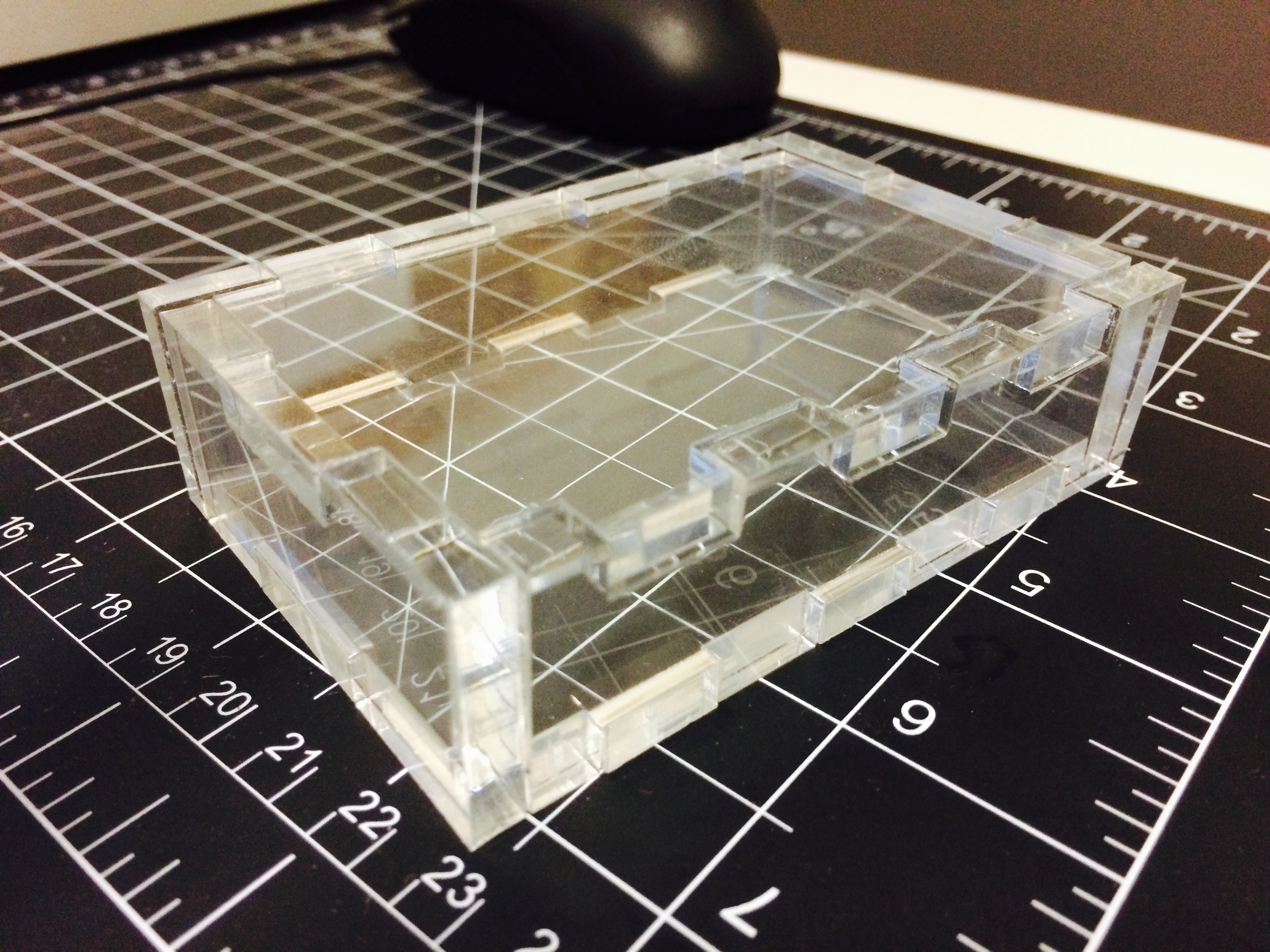
Laser cut box made out of quarter-inch acrylic using a design generated by http://boxmaker.rahulbotics.com

Laser cut box made out of quarter-inch acrylic using a design generated by http://boxmaker.rahulbotics.com